Managing end-of-year deadlines, holiday schedules, and personal milestones requires a clear overview of your final quarter. A three-month single-sheet calendar covering October, November, and December 2021 provides a complete view of Q4 without the hassle of flipping back and forth between individual monthly pages.
Whether organizing quarterly business deliverables, mapping out academic timelines, or coordinating family holiday plans, having Q4 consolidated on one layout keeps your priorities visible and structured.
🌟 Key Features of the Q4 2021 Printable Calendar
A practical layout balances readability with maximum functional space. Key design details of this three-month planner include:
- 🗓️ Complete Q4 View: October, November, and December 2021 are presented side-by-side on a single page, simplifying long-term tracking.
- 📏 Standard Letter Format: Sized at 21.59 × 27.94 cm (8.5 × 11 inches) for standard printer paper.
- ☀️ Sunday-First Setup: Each weekly row starts on Sunday, matching traditional North American planning layouts.
- 🔴 Highlighted Weekends: Saturdays and Sundays are clearly colored in red, making it easy to separate workdays from personal time.
- 📝 Dedicated Note Spaces: Individual date cells feature sufficient margins for scribbling appointments, deadlines, and reminders.
💾 Choosing the Right File Format for Your Workflow
Depending on how you plan to use your Q4 calendar, select the format that best fits your routine:
🖼️ PNG (High-Resolution Image)
- Best for: Digital wallpaper, tablet annotations, or quick desktop reference.
- Advantages: Crisp display across devices; easy to insert into digital notes apps like GoodNotes or Notability.
📄 PDF (Print-Ready)
- Best for: Physical printing and desk displays.
- Advantages: Preserves clean lines, margins, and crisp typography across all standard desktop printers.
📝 DOCX (Editable Word Document)
- Best for: Personal customization and digital pre-filling.
- Advantages: Allows typing schedules directly into date fields, changing color schemes, or inserting custom logos before printing.
🛠️ Step-by-Step Guide: Download, Customize, and Print
To get your planner ready for Q4, follow these simple steps:
- Select Your Format: Determine whether you need a quick printout (PDF), a digital backdrop (PNG), or an editable file (DOCX).
- Download the File: Save the selected calendar file directly to your local computer or cloud storage.
- Customize (Optional): Open the DOCX file in Microsoft Word or Google Docs to insert recurring weekly events, holidays, or color-coded task tags.
- Print & Display: Print the file using “Fit to Printable Area” settings on standard Letter paper, then mount it near your workspace or pin it to a bulletin board.
🎯 Practical Uses for a 3-Month Quarter Calendar
Having a bird’s-eye view of October, November, and December opens up several effective planning strategies:
- 💼 Quarterly Business Goals: Track project milestones, product launches, and Q4 sales targets without losing sight of year-end deadlines.
- 🎓 Academic Semester Planning: Map out assignment deadlines, midterms, finals, and winter break dates on one continuous sheet.
- ✈️ Holiday & Travel Coordination: Coordinate Thanksgiving, Christmas, and New Year’s itineraries well in advance to prevent double-booking.
- 🏋️ Habit & Fitness Tracking: Use the daily date boxes to track workout streaks, health milestones, or daily reading habits over a 90-day period.
Download for October, November, December 2021

📌 Final Thoughts
Streamlining your planning process for the final quarter of 2021 doesn’t require complex software or multi-page planners. A clean, single-page layout featuring October, November, and December keeps every major milestone, holiday, and deadline clearly within sight. Download your preferred format today and start taking control of your Q4 schedule!
Related Posts:
- New year stencils

- Calendar for October, November, December 2022

- Calendar for November, December 2026, January 2027
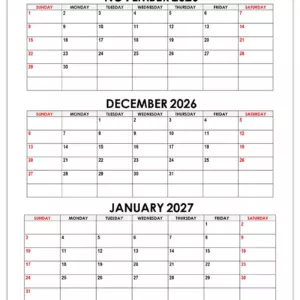
- Calendar for December 2026

- Calendar for December 2026, January, February 2027
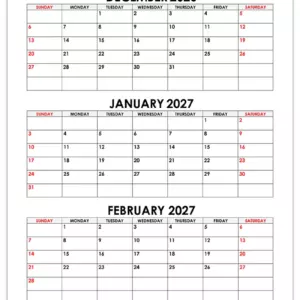
- Calendar for December 2025, January, February 2026

- Calendar for December 2026, January 2027

- Calendar for November, December 2025, January 2026

- Calendar for November 2026

- Calendar for November, December 2026

- Calendar for October, November, December 2020

- Calendar for November, December 2023, January 2024


Leave a Reply